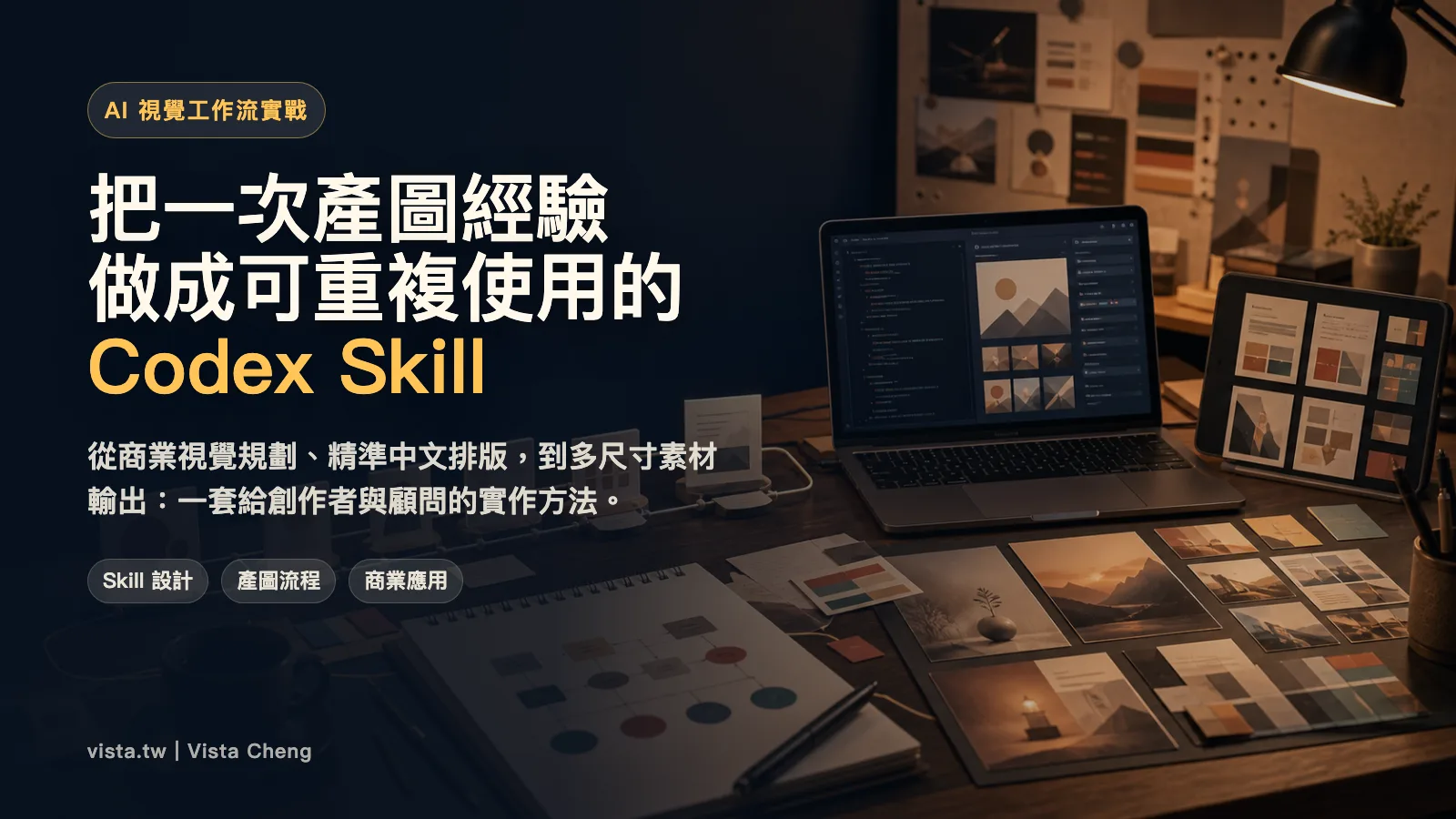
How to turn an AI image production experience into a reusable Codex Skill
When many people use AI to produce pictures for the first time, they will focus on how to write prompt? But what really turns production images into deliverable services is not a magical prompt, but a set of stable and repeatable workflows.
This time I used Japanese commercial visual style as an example to design a skill suitable for Codex: as long as the user provides the product, purpose, audience and style preference, Codex can first plan the visual direction, then produce a base map, and finally use a reliable typesetting process to output a finished product that can be directly released.
This article will completely dismantle the development concepts, process design, application scenarios and implementation considerations of this Skill. It is not just a production map teaching, but also a way to turn a successful experience into a method that can be successful next time.
Why should we make the birth chart process a Skill?
To be honest, a single birth chart can easily be left to chance.
Similarly, if you say to AI, “Please help me design the main visual of a sales page,” it may produce a beautiful picture today, but there may be typos or size errors tomorrow. The worst thing is that the style is gone, the Chinese characters are garbled, the screen has no white space, and it is not even suitable for the purpose and scene.
Of course, if you just play by yourself, these problems are acceptable. But when you want to produce materials for courses, sales pages, community recruitment, e-newsletters, or brand activities, producing images cannot be underestimated, but is a part of the content production process.
At this time, what you need may not be a longer prompt, but a set of Skills.
Simply put, the value of Skill lies in encapsulating judgment:
- What information should users ask for first when making requests?
- Under what circumstances should we develop a visual strategy first instead of producing images directly?
- Which text can be given to the model, and which text must be post-produced?
- How to verify size, text, path and usability after output?
- How to maintain the same visual language for multi-sized materials?
When these judgments become processes, AI becomes more like a stable design assistant rather than a random image generator.
The problem this Skill wants to solve
During the past period, I have developed many Skills, mainly based on my own needs and interests. Therefore, the scenario I designed is: the user wants to produce commercial visuals for a course, service or product, such as course cover, sales page Hero, social posts, limited time updates or advertising materials.
Of course, users often don’t start out completely. He might just say:
Help me plan a set of Japanese business visuals for the AI tutoring class. The purpose is course cover/sales page, the audience is entrepreneurs, bosses, and senior executives, and the style is more professional.
This sentence actually contains a lot of key information:
- Product: AI tutoring class -Usage: course cover, sales page
- Audience: Entrepreneurs, bosses, senior executives
- Style: professional, Japanese business vision
- Implicit requirements: a high sense of trust is required, it cannot be too similar to a general AI tool teaching course, and it cannot be too cheap.
The first thing Skill needs to do is not to rush to produce pictures, but to turn this information into visual decisions.
Core concept: Split visual output into three layers
The core design of this Skill is to split the production drawing work into three layers.
The first level is visual strategy: decide what the product should look like. The second level is base map generation: using AI to generate a commercial visual base map without text, logo, or watermark. The third level is precise layout: use HTML/CSS or other layout tools to overlap the title, selling points, and brand information.
The reason for this is pragmatic: the current image model for generating Chinese is still not stable enough. It can do atmosphere, scene, material, light or composition, but it is not suitable for being responsible for formal Chinese characters.
Therefore, I will hand over the work that the model is best at to making high-quality base maps. Then hand over the most error-prone part of the model to controllable tools, which is Chinese character typesetting.
This is the most important division of labor in the entire process.
Step 1: Translate user needs into visual strategies
A good business vision is not just about looking pretty, but about supporting the sales message.
Take AI tutoring classes as an example. If you just say “AI courses”, the model can easily produce blue-violet light beams, robots, circuit boards or glowing brains. These symbols are common but do not necessarily fit into a one-to-one teaching situation with a high-level decision maker.
A better visual strategy is:
- Don’t sell technology, but sell a sense of companionship and trustworthiness
- Not like public online classes, but like private consultants and high-end private schools
- Instead of using sci-fi vision, use real business desktops, notes, laptops, and natural light
- Not emphasizing the shape of AI, but emphasizing the way AI comes into real work
Therefore, Skill should first produce a strategy like this:
Visual positioning: Japanese high-end private school × business consultant × warm companionship
Main colors: off-white, wooden brown, dark dark green, rose brown
Composition: leave space on the left for the title, and one-on-one business situations on the right
Avoid: robots, blue and purple neons, sci-fi beams, cheap course feel
This step will directly affect all subsequent prompts.
Step 2: First generate a base map without text
The principle of production picture prompt is: let the model be responsible for the picture, and not let the model be responsible for the formal text.
For example, you can write:
Create a warm Japanese premium business editorial background visual for a private AI tutoring program.
Background only, no readable text.
Show a quiet executive office, warm natural morning light, wood table, laptop with abstract non-readable AI interface, handwritten notes, business documents, fountain pen, ceramic tea cup.
Reserve generous clean negative space on the left for title overlay.
Avoid robots, futuristic neon, cyberpunk, blue-purple tech gradients, readable text, logos, watermarks.
Here are a few keys:
- Clearly say background only
- Explicitly say no readable text
- Specify a blank position
- Specify cliche elements to avoid
- Define texture with scene, material and light
The resulting image looks more like usable material than a poster with bad lettering.
Step 3: Use typesetting tools to superimpose precise Chinese characters
After the base image is completed, the next step is to use HTML/CSS for typesetting, and then capture the image and output it as PNG through the browser.
This approach has several benefits:
- Chinese characters will not be garbled
- Titles can be accurately broken
- Size can be fixed to 16:9, 1:1, 4:5, 9:16
- Colors, shadows, and font weights can be reused
- When the copywriting needs to be changed, there is no need to re-produce the image
In practice, I would create a simple HTML:
<section class="hero">
<div class="copy">
<div class="eyebrow">One-on-one・Completely customized</div>
<h1>AI tutoring class</h1>
<div class="subtitle">One-on-one<br>AI private tutoring for senior decision-makers</div>
<p>Use your real business to turn AI into a decision-making tool that you use every day. </p>
</div>
</section>
Then use CSS to control the background, gradient mask, font, position and size.
Finally, use Playwright to take a screenshot of this block and output it:
const { chromium } = require('playwright');

const browser = await chromium.launch();
const page = await browser.newPage({
viewport: { width: 1600, height: 900 },
deviceScaleFactor: 1,
});

await page.goto(`file://${htmlPath}`, { waitUntil: 'networkidle' });
await page.locator('#hero').screenshot({ path: outPath });
await browser.close();
This approach is much more stable than “asking the model to write Chinese directly on the picture”.
Step 4: Treat multi-size materials as the same system
Let’s be honest, business visuals rarely require more than a single image. This will usually require:
- Sales Page Hero: 16:9
- Social posts: 1:1 or 4:5
- Limited time updates: 9:16
- Course cover: 4:5
- Course flow chart: 16:9
The advantage of Skill is that you can require each picture to have a different composition while maintaining the same visual language.
For example, in the course “Concept Realization Running Camp”, I will set the visual main axis as:
Ideas are polished into products, and vague ideas follow a 6-week path to market testing.
So different sizes can be divided like this:
- Hero: There is a paper sculpture market path on the desktop, showing the journey from concept to product
- Square picture: The original stone is cut into product boxes, showing that “you are not lacking in creativity” -Limited: 6-week glow path, from vague idea to market test
- Curriculum map: six stations, corresponding to the weekly practice route
This is not the same picture cut into four sizes, but the extension of the same creative concept in different media.
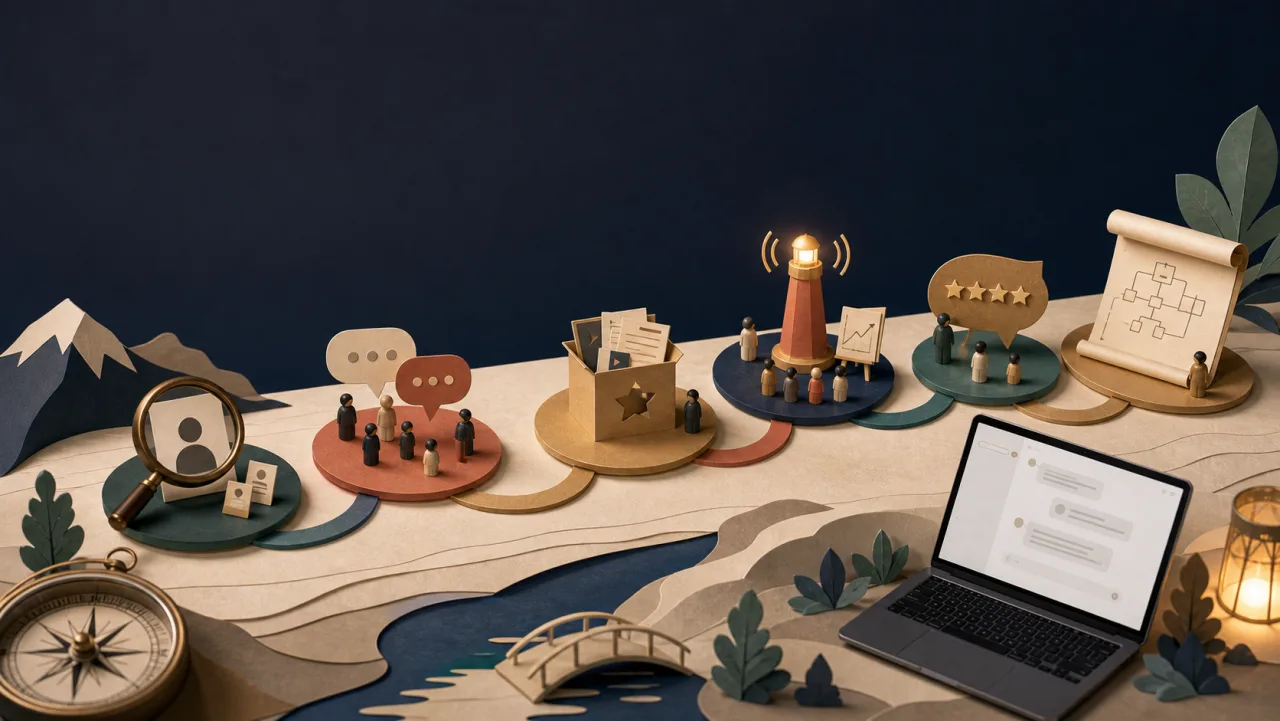
▲ A visual demo for the “Concept Realization Running Camp”: the six-week path from vague idea to market test, rendered as a paper-craft market journey — positioning, discussion, product polishing, going public, market feedback, and the course-outline stations.
Step 5: Be sure to verify after output
As long as the material is to be released, you can’t just look at it and think it’s beautiful.
At least check:
- Whether the file is actually exported
- Are the dimensions correct?
- Are there any typos, word splits, or overflows in Chinese?
- Whether the picture has unusable garbled characters or fake logos
- Is the contrast between text and background sufficient?
- Whether the file is saved to the project path instead of just leaving it in the temporary storage area
In my process, I will use file to check the image size, use visual preview to check the layout, and also scan for banned words or unwanted characters.
This step may seem trivial, but it is the dividing line that turns an AI artifact into a deliverable.
How should I write the Skill file?
A good Skill does not need to hard-code all prompts. It should spell out the decision-making process.
These paragraphs can be included:
#Japanese Business Vision Skill

## Trigger timing
Used when users require the production of commercial visuals for courses, services, sales pages, events or brands.

## Enter information
- product name
- Usage scenarios
- Target audience
- Brand tone
- Must-have copywriting
- Size requirements

## Workflow
1. First sort out product positioning and visual strategy
2. Define colors, composition, materials, and avoid elements
3. Generate basemap without text
4. Use HTML/CSS to overlay precise text
5. Output multi-size materials
6. Verify size, text and usability

## IMPORTANT RULES
- Do not let the image model generate formal Chinese characters
- Each picture must retain a modifiable typesetting source
- Project materials must be copied to the workspace
- Do not overwrite old files, use versioned naming
The essence of Skill is not to provide a prompt, but to let AI know when to make strategies, when to produce pictures, and when to verify?
In what scenarios can it be used?
Therefore, this type of Skill is very suitable for use in high-frequency content and commercial material production:
- Online course cover
- Sales Page Hero
- Community admissions chart
- Main image of e-newsletter
- Activity page visual
- Product launch materials
- Consultancy service briefing cover
- Personal brand series pictures As long as your needs are not a one-time play, but will require similar quality and process repeatedly, it is worthwhile to create a Skill.
Especially suitable for the following workers:
- Knowledge workers: need to productize expertise
- Consultants and lecturers: need to frequently produce course and activity materials
- Personal brand operators: need to output visual content stably
- Small team entrepreneurs: do not have a complete design department, but need publishable materials
- Content workers: need to package articles, courses, and activities into visual assets
FAQ
Why not just ask AI to produce a complete poster?
Because information such as Chinese, brand name, price and date are critical and cannot be joked about. When releasing materials officially, you are most afraid of typos and garbled characters. Therefore, leaving the base map design to the model and the text to the typesetting tools is currently a relatively stable division of labor.
Do I have to use Playwright?
uncertain. You can also use Figma, Canva, Puppeteer, Sharp, ImageMagick or any controllable layout tool. The point is not the tools, but the text layout should be controllable.
Will Skill limit creativity?
A good skill doesn’t limit creativity, it limits mistakes. It allows creativity to occur in visual strategy and base map design, and stabilizes delivery quality in size, text, path and verification.
Do I have to write my visual strategy first every time?
If it is a brand new product, it is recommended. Because the visual strategy will determine the credibility of the material. Especially for commercial vision, different audiences have different feelings about the profession, and we cannot rely solely on aesthetic intuition.
Next step: encapsulate your success process
I now believe more and more that the key to AI workflow is not to produce great results at once, but to preserve the judgment behind the great results.
A good-looking picture is a work of art. But a method that can produce good pictures repeatedly is a system.
Herein lies the value of Skill: it turns your experience, preferences, verification standards, and delivery habits into a workflow that can be started directly next time.
If you already have a set of regular tasks, such as writing articles, making presentations, creating course covers, organizing research, or publishing community content, you can ask yourself three questions:
- Would I do this again?
- What are the hidden steps I actually follow every time I succeed?
- What mistakes do I hope the AI will not make again in the future?
By writing the answers into Skill, you are not using AI to do a single task, but building your own work system.
If you are interested in these, you are welcome to communicate with me - you are also welcome to come to my two practical workshops to turn the workflow mentioned today into your own system.
📖 深入探索相關主題