Don’t just collect AI tools anymore: Four-step design workflow to take advantage of the second wave of AI dividends
✍️ Originally published in “Technology Island”
Hey, how many AI tools have you used? How many bookmarks of AI tools do you have saved on your computer?
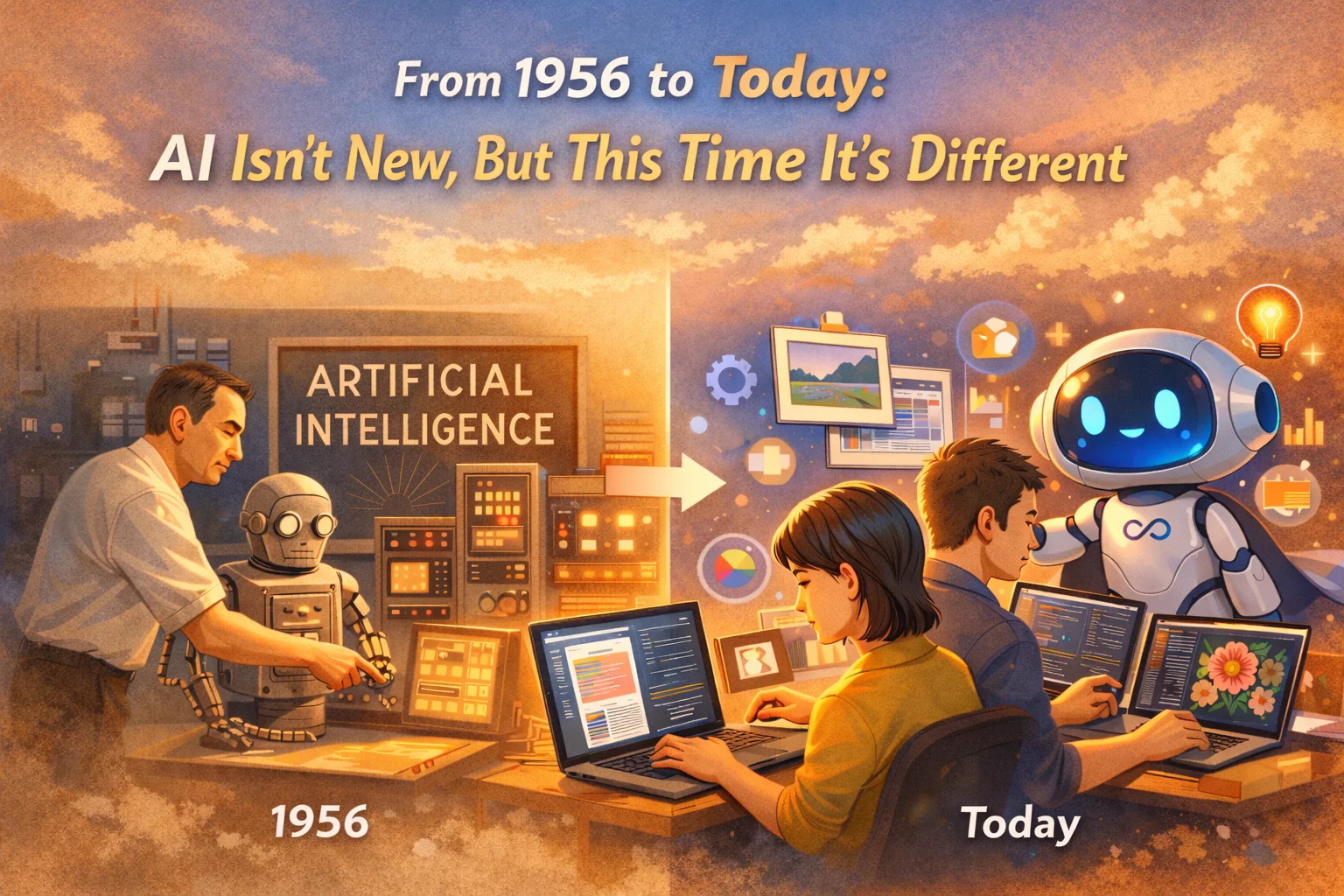
▲ How many AI tool bookmarks do you have saved in your computer? (Picture/AI generated)
If you forget, you can take a sneak peek - ChatGPT, Claude, Gemini, Perplexity, Notion AI - there are a bunch of others you can’t quite remember what they do? Swipe to Notion or Google Docs again. You should also have some documents called “100 Prompt Templates You Must Collect” or “List of the Most Powerful AI Tools in 2026”, right?
In addition to the above, you might also subscribe to 20 YouTube channels and 10 newsletters. But I guess you may have been too busy to watch it a few times. Speaking of which, have you noticed something very strange: various AI tools have sprung up in the past two years, but the more tools everyone collects, the more work they do.
Well, this is what I want to talk to you today: Most people don’t use AI enough, but they focus on the wrong place.
Tool Addiction: Is this how you get your gym membership card?
First, many people may suffer from a disease called tool addiction. Let me admit it first, I’ve had it myself before.
I still remember that in 2023, the year when ChatGPT first became popular, I collected 20 new tools a week, subscribed to 10 AI newsletters, and tried 30 sets of prompt templates. At that time, my note-taking software was filled with all kinds of AI information. However, after only a year, those folders turned into a tool graveyard.
I know a marketing executive who has 14 AI software installed on his phone. I asked her which ones she really used last week, and she thought for a long time before replying: “Uh… just ChatGPT. The other 13 are a bit like gym membership cards.”
Do you agree? Many times our collection of AI tools is similar to the behavior of getting a gym membership. Meaning that the very act of downloading (or swiping) already gives you an immediate reward. Dopamine is not given to you the day you build muscles, it is given to you the moment you swipe your card. The same goes for AI tools: after downloading, collecting and trying them for five minutes, your brain will think you have “upgraded”. But no! We just find another way to avoid real work.
Three psychological mechanisms behind collection addiction
If you want to quit tool addiction, you must first understand why it is so difficult to quit? I have observed my own usage behavior and asked hundreds of students, and I have sorted out the following three psychological mechanisms:
First, collections have immediate returns, but designs do not.
There is a term in psychology called “temporal discounting” - simply put, the human brain is much more sensitive to small rewards now than large rewards in the future. Collecting an AI tool is obviously a typical small reward today: you can do it with one click and you will feel stronger immediately. Looking back at the design process, it is the big reward in the future: you have to invest 30 minutes first to observe, write down, and try and make mistakes, and the reward will not appear until two weeks later.
The brain will automatically choose the former, not because you are lazy, but because it is a preference left over from evolution.
Second, collection is social currency and design is private homework.
Those tools you have collected can be used to talk, show off to friends at parties, or write “I am using XXX recently” in a LinkedIn post in exchange for dozens of likes. But the design process is hard to show off because it seems boring and has little to show for it.
Granted, in the age of social media, activity that lacks presentation is like dancing in the dark.
Third, collecting is the illusion that I am learning.
If you collect a prompt template, your brain will tell you: “I have learned one thing.” But in fact, it has not. At best, you just know that this thing exists.
Well, how big is the difference between those two things? Just like the difference between “I know there is a delicious Xiao Long Bao in Taipei’s Minsheng Community” and “I have already eaten it and know how to order it to taste best” is as big as the difference. Unfortunately, most people live in the former, but think they are the latter.
Collection vs Design: The difference between consumption behavior and production behavior
Collection is a consumption behavior, and design is a production behavior.
This is the sentence I most often use to wake up students when I have been doing in-house training for the past two years.
Collecting tools is a consumption behavior, which means you are receiving things made by others. Someone will help you select it, sort it out for you, and tell you that this one is very powerful, and all you have to do is click the save button. This action is easy, fast, and has immediate feedback. To be honest, it’s essentially the same category as binge-watching TV shows, online shopping, or scrolling through Instagram.
The design process, on the other hand, is an act of production: you are creating something of your own. You have to observe your work, decide where to insert AI, trial and error, make corrections, and leave a reusable version. The action is slow, frictional, and has no immediate feedback—but it builds.
Let’s make an analogy: collecting tools is like going to a hardware store to look at various tools and you think they are beautiful, while the design process is like using these tools to actually build a room. There is no doubt that both things are related to tools, but one is the perspective of consumers, and the other is the perspective of creators.
Let’s use another analogy that is easier to understand: In the past two years, I have seen too many people collect an entire arsenal of tools, but they cannot win a simple work battle. The reason is simple. People who are really using AI to achieve results do not blindly pursue tools.
Three people who really use AI to achieve results, what are they doing?
I have long observed more than two dozen friends who are very good at using AI. Their identities are diverse, such as entrepreneurs, consultants, designers, journalists or engineers. There is one thing in common that impressed me deeply: they are all busy with their own affairs, but no one is blindly chasing the latest tools.
It’s not that they don’t know about new tools, it’s that they are not anxious about chasing tools at all. The ones I use back and forth are ChatGPT, Claude or Perplexity. I have been using them for half a year or a year and haven’t changed them yet. But they patiently tried one set of processes after another—each process went through several iterations, and each one was closely tied to their daily routine.
Case 1: B2B business Wenxiao’s “Write the first letter to an unknown customer”
My first friend Wen Xiao is in B2B business. He has a process called writing the first letter to an unknown customer. The input is the client’s LinkedIn link, company website, and any background information he can find; in the processing stage, Perplexity is used to collect industry trends, and Claude writes a personalized opening statement; in the judgment stage, he spends 2 minutes checking the name, company, and numbers; the output is an email within 250 words with two optional periods at the end.
It only takes four steps and can be done in 15 minutes. He runs the process 20 times a week, 1,000 times a year.
He told me that the first version of this process was written at the end of 2024, and it has now been revised to the fifth version. Every time he changed it, he was inspired by a customer’s reaction - for example, in the third version, he started to add “I saw you sharing on LinkedIn last week…” at the beginning, and the response rate jumped from 32% to 51%.
Case 2: Independent consultant Mia’s “process of sorting out after client meetings”
The second friend, Mia, is an independent consultant. She established a workflow for herself to sort out after client meetings. During the meeting, she turned on her voice recorder to record. Once the meeting was over, she threw the verbatim transcript into a fixed space in Claude Projects, which had already been preset with her structured template. AI will automatically generate five-part meeting minutes: discussion focus, decision items, to-do (including responsible person and deadline), unanswered questions, and next agenda.
She manually checked for 5 minutes to confirm that the names, numbers, and commitments were correct, and then directly converted it into a PDF and sent it to the customer. It can be done in as little as 10 minutes, something that used to take 90 minutes. Today, she runs this process for every client meeting, more than 40 times a month.
Case 3: Senior Engineer Xiong Ge’s “Automatic Briefing Before the Meeting”
The third friend, Brother Xiong, is a senior engineer. His process is very simple, asking AI to automatically organize background information before the meeting. Every time a new meeting appears on the calendar, a Zapier automation written by him will start: grab the meeting topic and participant names, use Perplexity to check the recent updates of each participant, and use Claude to organize a pre-meeting briefing, telling him the context related to the meeting, each participant’s recent focus and possible topic directions.
The briefing is automatically sent to his inbox 30 minutes before the meeting. From then on, he didn’t need to prepare before meetings, but every time he held a meeting, he observed more than others.
The three of them have completely different positions, and the combination of tools they use is also slightly different. But one thing is the same - they don’t blindly chase tools, they care about their own process. What can be optimized this week? Yes, those who can do this are the ones who are really using AI.
🛠 Want to write your own Zapier and create a workflow like Brother Xiong?
After seeing this, if you have the idea of “I also want to make a process of my own”, welcome to join the “Vibe Coding Practical Workshop designed by me - 3 hours to teach you how to use AI Create the first online work that can be launched online, from registration form, membership page to content mall, you can practice the feeling of commanding AI to complete tasks without knowing programming. The muscle of process design begins to grow from such small works that can be run, modified, and delivered.
👉 Learn the course content now: solo.tw/courses/vibe-coding
Four questions for self-test: Are you a collector or a designer?
Seeing this, I want to ask: Are you a collector or a designer? I have designed a four-question self-test for you. Friends who are interested can take the test for themselves!
- Do you have an AI workflow that can be run with your eyes closed? Not a vague answer like “I will use ChatGPT”, but specific enough that you can say “I use this process to process the weekly report every Wednesday afternoon, what is the input, what is the output, and how many minutes it takes.”
- Do you have a fixed storage location for the prompts you usually use? Can you still find that reminder word that worked so well last time three months later? Or is it scattered in the conversation history and disappears with version updates?
- For the same task, have you designed version updates to v1, v2, and v3? Or do you start from scratch every time and write wherever you think?
- When was the last time you had a clear feeling of “I got off work X minutes early today because I was using AI”? If you want this answer to take more than 10 seconds - then your use of AI has probably not really shown its value.
If you can’t answer two or more of the four questions above…well, it doesn’t matter, you are not alone. But that does mean: you are still just a collector of AI tools, not a designer yet.
The second wave of dividends: from knowing how to use AI to knowing how to design the process
Think back to the period of 2023–2024, when the dividends of AI tools belonged to a few people who knew about it early and were the first to use it. As long as they can prompt, know how to ask, and can use it to complete a single task - these people are already ahead of the average office worker. But starting in 2025, this dividend will be flattened quickly.
Whether you can use AI or not is no longer the key difference! The reason is very simple, because everyone can use it. The tools are free or extremely cheap, the interfaces are getting simpler and simpler, and the learning threshold is getting lower and lower. According to Gartner 2025 Survey, 60% of white-collar workers worldwide use AI tools at least once a week. Think back to 2023, when it was only 18%.
In other words, within two years, AI will go from a leader’s mark to a basic equipment. This is why I repeatedly emphasized in “A Cruel Watershed in the AI Era”: In the face of AI, some people’s income will be cut in half, while others will double their growth. The difference is not in the tools, but in the abilities.
So where will the next gap be? The obvious answer is, can you design the process? When everyone has the tools and everyone has similar abilities, the only one who can make the difference is who can integrate the tools into their own work and turn them into a repeatable system?
In fact, this has happened many times in history:
- In the 1990s, being able to use Microsoft Word was competitive; in the 2000s, it became very basic; in the 2010s, the difference lies in who knows how to use Word styles, shortcut keys and templates, saving 80% of typesetting time.
- Being able to use Excel was competitiveness in the 2000s; it became basic in the 2010s; the gap in the 2020s is who knows how to use pivot analysis, Power Query, and VBA automation.
Every time a tool is democratized, the gap shifts from whether it can be used to whether it can design the process? It is true that AI will not be an exception, but this time the cycle is shorter than the previous two times. This also echoes the observation I mentioned previously in “Five Things AI Can’t Do: 5C Framework” - when everyone can use a tool, human’s unique 5C soft power has become the key to determining the gap.
30 Minutes to Action: Start Designing Your First Workflow Today
Starting today, just take one action! Choose a task that you do more than three times a week - writing emails, organizing meeting minutes, writing weekly reports, responding to clients - and then break it down into four parts and write it down:
- Input: What information is typically required for this task?
- Processing: At which step can AI help?
- Judgment: Where should humans check?
- Output: What format is the final product in and to whom?
Just write these four things clearly on a piece of A4 paper, and you have taken the first step from collector to designer. Don’t underestimate these 30 minutes. What you invest is not time, but a switch in identity.
If your job is mainly content production, you can refer to the content flow I shared in “AI Content Factory System”, or directly take a look at the Chinese content workflow template we implemented on content.tw. If your work focuses on meetings, customers, and project management, there are more process skeletons that can be directly borrowed in “Make Good Use of AI Agent Digital Twins”.
The first wave of bonuses has ended, the second wave is waiting for those who are ready
Did you find out? The first wave of bonuses has ended. A journalist friend said to me a while ago: “In 2024, I felt that being able to use ChatGPT was my competitiveness. Now in 2026, I find that even primary school students can use ChatGPT, which is no longer surprising.”
Well, he told the truth. The dividends of AI tools come and go quickly. Those who will use them in 2023 will win a step, while those who will use them in 2026 can barely keep up.
Having said that, where is the second wave of dividends? It’s not about the next cooler tool, nor the next set of more awesome prompts, but the seemingly slower, quieter and more tiring thing of process design. To put it bluntly, this is the difference between basic skills and moves in the AI era. You know, the moves will become outdated, but the basic skills will remain.
Start now, it’s not too late! Let’s work hard together!
Further reading:
- A cruel watershed in the AI era: Why do some people double their growth, while others’ income is cut in half?
- Five things AI cannot do: LinkedIn CEO personally teaches the 5C framework
- Make good use of AI Agent digital clones to upgrade from mid- to senior-level executives to Agent Commander-in-Chief
- AI Content Factory System: One material can be produced in six formats
External resources:
- Original article published in “Technice Island”
- Vibe Coding Practical Workshop (solo.tw)
- content.tw: AI Chinese content workflow
- Vista Consulting and Corporate Training Services (vistacheng.com)