DESIGN.md: The Spec Your Brand Has Been Missing
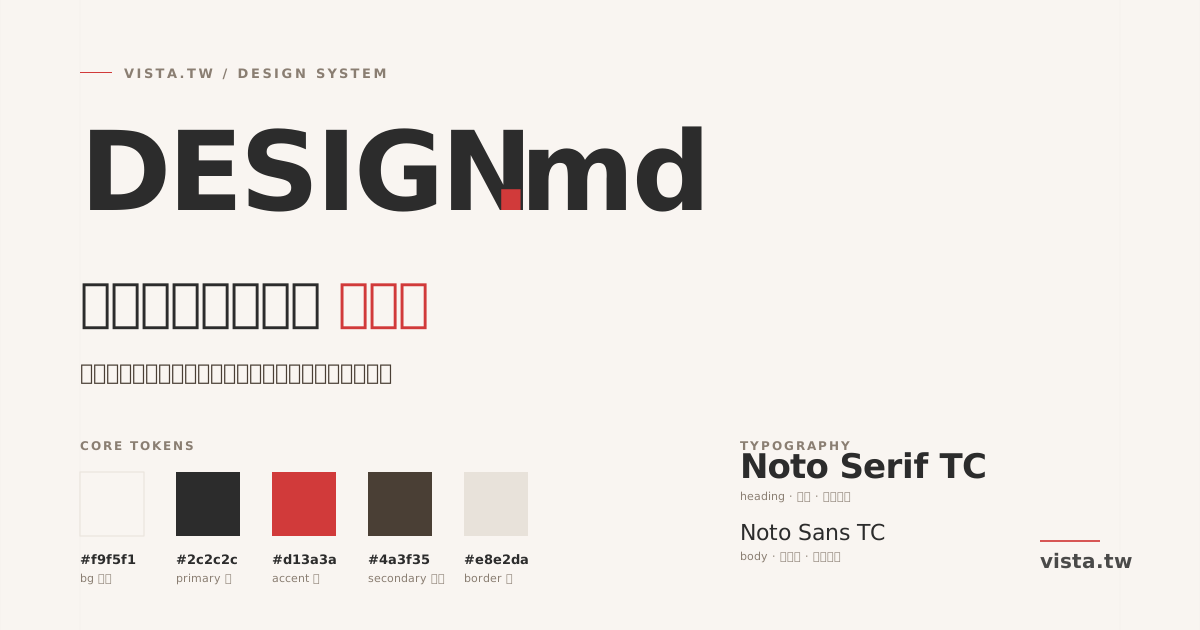
▲ DESIGN.md: take the design decisions scattered in your head and move them into your repo root
TL;DR: every creator who runs a website should keep a DESIGN.md in the repo root. It is a plain Markdown file that captures your colors, typography, spacing, motion, voice, and the reasoning behind every design decision. It is not a designer’s tool. For creators, it is the spec your future self can still read six months from now. For collaborators (freelancers, engineers, AI assistants), it is the single source of truth that stops them from wrecking your style. I just wrote one for vista.tw. This post explains why it matters, what it contains, and how to write yours.
You have a site and you have taste. But do you have a spec?
Let me confess something. Until yesterday, the vista.tw design system existed in exactly three places:
- Inside my head
- A one-line comment at the top of
src/styles/global.css:Japanese minimalism × warm literary × magazine feel - A few scattered rules in
CLAUDE.md: no dark theme, article images use square corners, use 批次 not 批量
This is an implicit system. It works, because every decision lives in the same brain. But the moment that system needs to be read by someone else, obeyed by an AI assistant, or reinterpreted by a forgetful future-me, it collapses.
The problem is not that I did not do it well. The problem is that I never wrote it down.
A design system is not a collection of visuals. It is a collection of decisions, made explicit. You can have beautiful visuals with no system. You can also have understated visuals with a very strong system. The difference is whether the next person walking in can read why you chose what you chose.
What DESIGN.md actually is
In one sentence: a Markdown file at the root of your repo that captures your visual language and design decisions.
What it is not:
- ❌ A Figma file (that is the visual source, not the spec)
- ❌ A Notion page (drifts out of sync with the code)
- ❌ A PDF style guide (static, stale, never read)
What it is:
- ✅ A plain text file, version-controlled alongside the code
- ✅ A first-class document at the same level as README.md
- ✅ Human-readable, AI-readable, diff-readable
- ✅ Contains a Decisions Log so history is visible
Think of it as the legal text of your brand. Every rule has a reason. Every exception gets recorded. Every change leaves a timestamp.
Why you need one (three real scenarios)
Scenario 1: six months from now, you cannot remember why you picked that red
You know today that #d13a3a is your brand red. But what about in six months? In two years? When you are making a new business card, a poster, or a brand extension, you will start asking, is a slightly brighter red better?
Without a DESIGN.md, you will make that decision again from scratch, every time. Each re-decision drifts slightly. Eventually your brand becomes “some kind of red, I think.”
With a DESIGN.md, you open the file and see:
--color-accent: #d13a3a— brand red (links, CTA, emphasis)Why: a bookstore red on warm paper. References independent publishing and literary bookstores. Brighter turns into warning red. Darker loses its warmth.
Decision locked. You stop second-guessing.
Scenario 2: your collaborator ships something that is not your style
They are not lazy. They just do not know your style.
Your style lives in your head. A collaborator can only reverse-engineer it from your existing work. They see one post with a red CTA and assume red is decorative. They see a serif heading and assume Lobster is fair game (please do not). They see whitespace and assume it should be filled with ads.
DESIGN.md is the contract you hand every collaborator. Spell out the implicit rules. They follow them. You stop arguing every revision round.
Scenario 3: your AI assistant needs to know your taste
This is 2026’s most unique and most underrated reason.
Every creator’s stack now includes Claude Code, Cursor, Lovable, or similar AI assistants. When you ask one to build a new page, a new component, a new landing — what does it do?
It defaults to “a typical website.” Purple gradients. Three-column feature grids. Everything centered. Bubbly buttons. Emoji soup. This is what AI slop looks like.
Unless you tell it: read DESIGN.md first.
I added this to vista.tw’s CLAUDE.md:
Design System: Always read
DESIGN.mdbefore making any visual or UI decisions. All font choices, colors, spacing, and aesthetic direction are defined there. The authoritative source of tokens issrc/styles/global.css. Do not deviate without explicit user approval.
From that moment on, every Claude Code session starts by reading DESIGN.md. It has never suggested a purple gradient to me again.
This is the key technique for amplifying your taste with AI: you are not fighting the assistant’s defaults. You are writing your defaults down and making them the rules.
What my DESIGN.md looks like
The full file lives at github.com/iamvista/vista-official-site/blob/main/DESIGN.md. It is 396 lines, 18 sections. The value is not in the length. It is in the coverage.
Product Context
- What vista.tw is: Vista Cheng's personal site and digital home.
  1,979+ blog posts, 18,000+ newsletter readers, 200+ corporate talks.
- Audience: Traditional-Chinese-reading knowledge workers, creators,
  content marketers
- Product type: Personal-brand-driven editorial blog + lead magnets
  + workshop funnel
- Space: Content creation × AI applications × personal brand
- Localization: zh-TW (primary), English, Japanese
This section matters because it grounds every subsequent design decision. When you are deciding something later, you can always come back and ask: does this decision serve that reader? Does it fit the editorial blog product type?
Aesthetic Direction
- One-line direction: Japanese minimalism × warm literary × magazine feel
- Mood: like a substantial print magazine. Not loud, not cold, with weight.
  Quiet but not distant.
- Decoration level: intentional — typography carries the composition
- Anti-patterns (avoid explicitly):
  - Dark themes (explicitly forbidden in CLAUDE.md)
  - Purple, neon, rainbow gradients
  - Rounded cartoon feel (conservative border-radius)
  - AI slop: three-column icon grids, everything centered, bubbly buttons
The anti-patterns section is the most useful part. Telling a reader what not to do stops style drift far better than telling them what to do. You will be surprised how often “do not use purple gradients” saves you.
Color
| Token            | Value    | Usage                       |
|------------------|----------|-----------------------------|
| --color-bg       | #f9f5f1  | Warm paper background       |
| --color-primary  | #2c2c2c  | Primary text (dark gray)    |
| --color-accent   | #d13a3a  | Brand red (links, CTA)      |
| --color-border   | #e8e2da  | Main border                 |
Every color has three things:
- A token name (
--color-accent) — in code, use the token, never a raw hex - A semantic purpose (links, CTA, emphasis) — prevents the same red from being used as a background
- A contrast check (my file also documents WCAG ratios:
#2c2c2con#f9f5f1= 13.4:1)
Decisions Log
The section I recommend most:
| Date        | Decision                              | Rationale                    |
|-------------|---------------------------------------|------------------------------|
| 2026-02-24  | Tag normalization: 1,104 → ~50 core   | AEO topic cluster strategy   |
| 2026-04-13  | Homepage redesign: 3-path routing hero| Reduce cognitive load        |
| 2026-04-13  | Blog body font 18/17 → 19/18          | Chinese long-form comfort    |
A year from now, when you or a collaborator asks, why did we do that? — you do not dig through memory. You read the log.
This is also why DESIGN.md has to live in the repo, version-controlled with the code. Every change has a commit message. Every decision has history.
How to write your own (5 steps)
Step 1: find your design tokens
Open your main CSS file. Find every hardcoded color, font size, and spacing value. If they are already CSS variables (--color-accent: #d13a3a;), you are one step ahead. If they are raw hex scattered everywhere, spend an evening consolidating them into :root variables.
No system means no document. DESIGN.md is a mirror of an existing system, not an invention.
Step 2: write the Product Context
Do not skip this. Five sentences:
- What is this site?
- Who reads it?
- In what domain?
- What kind of product (blog, tool, commerce, community)?
- Any language or region constraints?
Design decisions without context are driftwood.
Step 3: write the Aesthetic Direction (including anti-patterns)
One sentence for the direction. Mine is “Japanese minimalism × warm literary × magazine feel.” Then list at least three explicit “do not do” anti-patterns.
Anti-patterns beat positive rules. They stop about 90% of style drift.
Step 4: fill in the color, type, and spacing token tables
Markdown tables with:
- Token name (
--color-accent) - Value (
#d13a3a) - Usage (links, CTA, emphasis)
- Optional: contrast ratio, usage examples
For type: list the families, loading strategy (Google Fonts / fontsource / self-hosted), weights, and the full scale.
For spacing: base unit (usually 4px or 8px), the full scale, and when each level is used.
Step 5: start an empty Decisions Log and let it grow
Do not try to retroactively fill in history. Just start from today. Every time you make a meaningful design decision, spend 30 seconds adding one row.
A year from now, you will thank yourself.
Let AI guard it for you
This is the most important move in 2026: wire DESIGN.md into your AI workflow.
For Claude Code / Cursor users
Add this to the top of your CLAUDE.md (or .cursorrules or AGENTS.md):
## Design System
Always read `DESIGN.md` before making any visual or UI decisions.
All font choices, colors, spacing, and aesthetic direction are defined there.
Do not deviate without explicit user approval.
In QA mode, flag any code that doesn't match DESIGN.md.
From that moment, every AI session begins by reading DESIGN.md. Your time shifts from “correcting AI defaults” to “write it once, protect it forever.”
For ChatGPT / Claude web users
Paste the DESIGN.md content into your Custom GPT or Project knowledge, or paste it at the start of each conversation. Same effect.
For freelancers and collaborators
Put the DESIGN.md link in your onboarding doc. Ask them to read it and confirm before they start work. You move from style reviewer to brand guardian. You stop rewriting their drafts. You just point to the rule being violated.
Why the timing matters
Five years ago, design systems were a luxury for large companies. Only organizations at IBM Carbon or Material Design scale bothered.
Three years ago, they became a baseline for startups, because remote work broke oral tradition.
In 2026, they are survival gear for every creator — because AI is strong enough that it will make 90% of your visual decisions for you by default. If you do not write DESIGN.md, AI decides with its defaults.
In the AI era, a design system is not a designer’s privilege. It is necessary equipment for anyone who wants to protect their taste.
You can start today
No Figma. No consultant. No waiting for the perfect moment. You just need:
- Create a
DESIGN.mdat the root of your repo - Spend an hour on Product Context + Aesthetic Direction + three core token tables
- Commit it to main
- Add “read DESIGN.md” to your
CLAUDE.mdor AI rule file - Next time you change something, update the Decisions Log
The ROI is absurd. One hour buys you permanent infrastructure for guarding your brand.
My full DESIGN.md is on GitHub. Copy it, adapt it, make it yours. That is the point of Markdown — it is not a tool’s asset, it is text anyone can open, read, and rewrite.
Move the design decisions out of your head and into your repo root. Let your future self, your collaborators, and your AI assistants all read from the same spec.
This is the floor for a 2026 personal brand.
Further Reading
- Complete Guide to Personal Branding in the AI Era
- I Built an AI Content Production Line: One Post Becomes Six Outputs
- Claude Code Is Not Just for Engineers: 5 Real-World Uses for Knowledge Workers
📖 深入探索相關主題