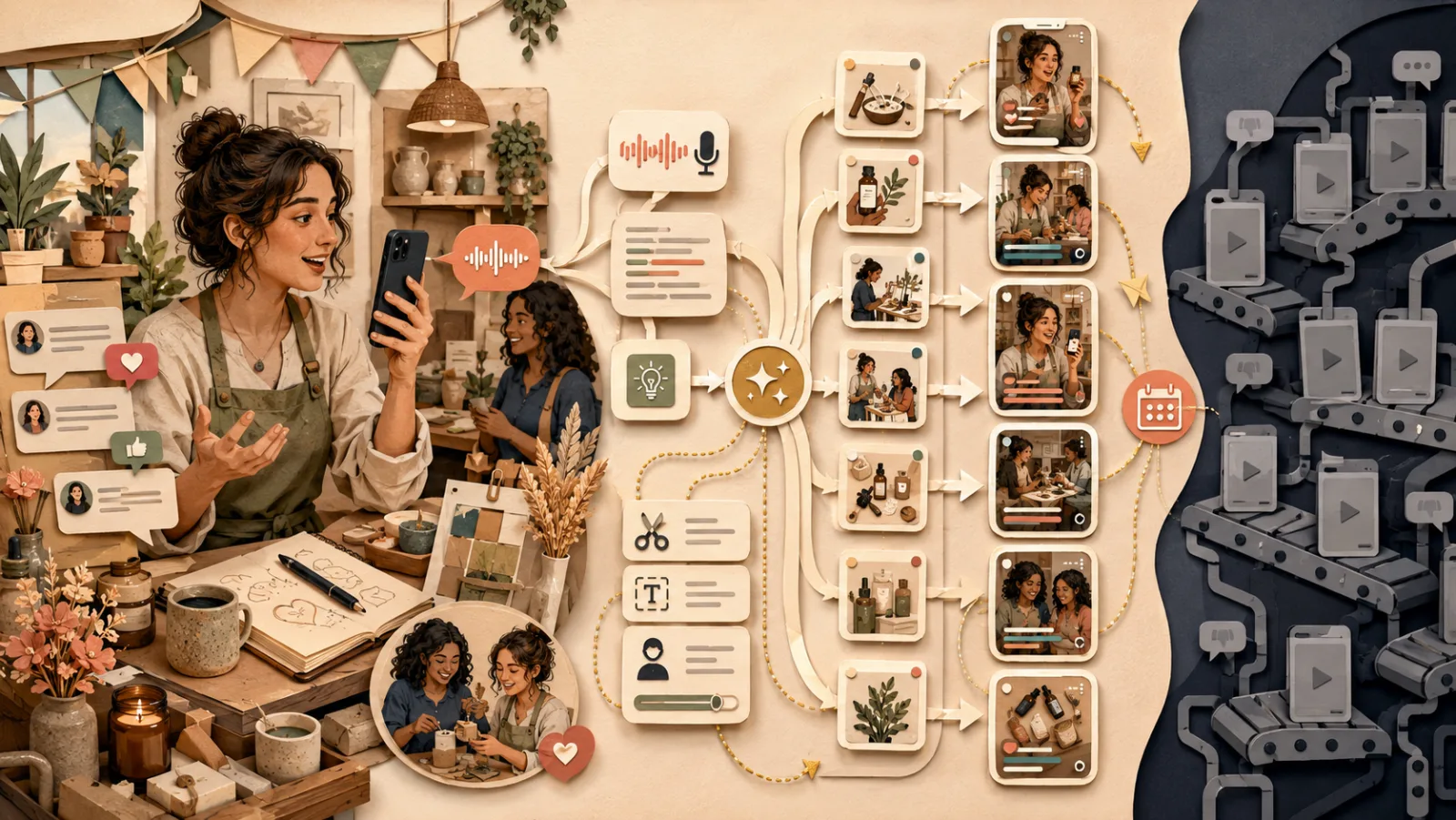
The picture is beautiful, but no one understands the point: the 30,000-year evolution of infographics and three check questions for content workers
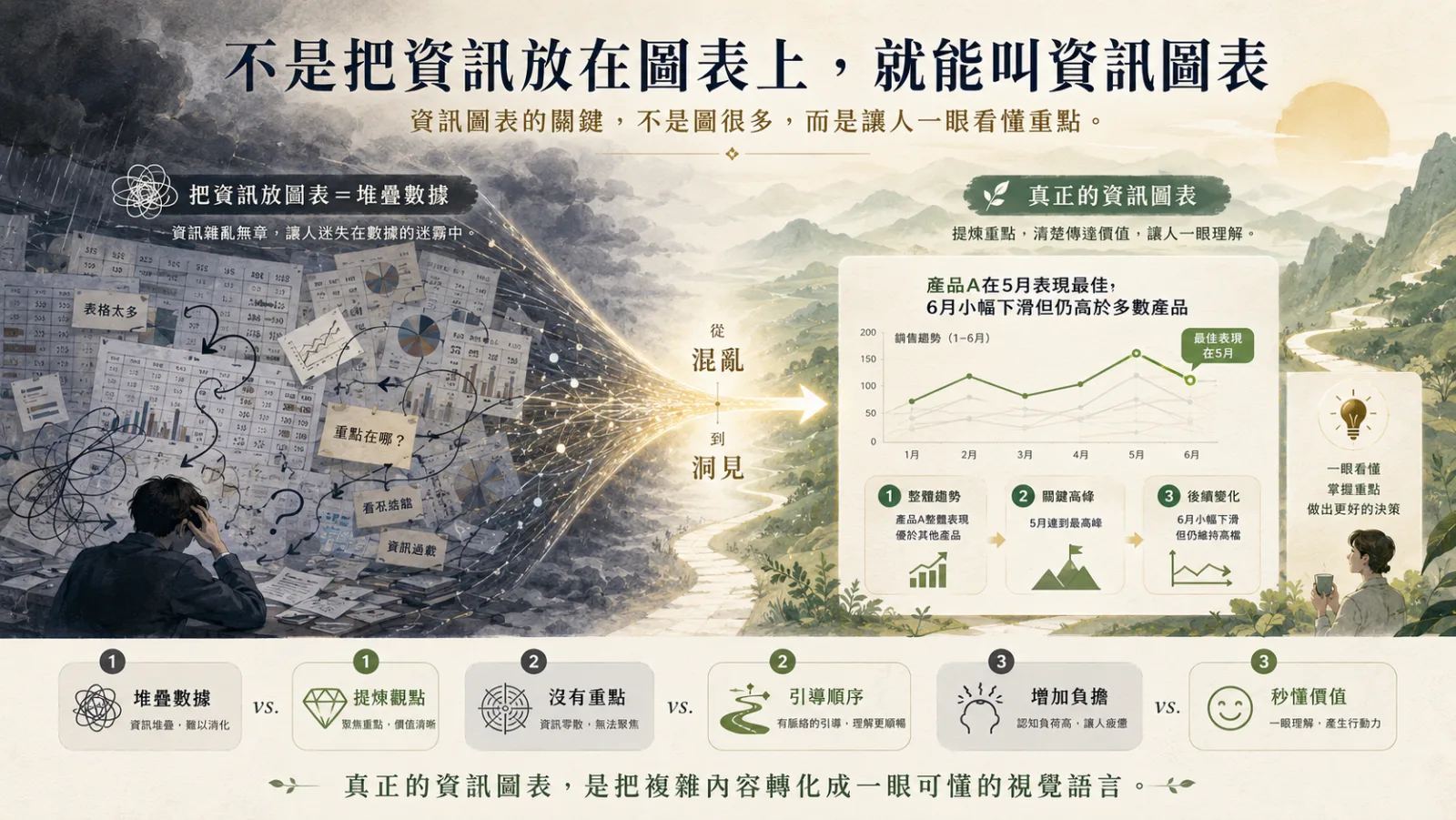 *▲ The key to information graphics is not to have many images, but to make people understand the key points at a glance. *
While scrolling on my phone these days, I discovered something very interesting.
More and more people are using infographics to explain complex concepts. A financial report, a set of methodologies, and an industry trend. Things that used to take two thousand words to explain clearly are now compressed into a picture, complete with arrows, color blocks, and icons. Readers can grasp the general key points in just a few seconds by swiping over. I think this is a good thing, and can even be said to be one of the most gratifying changes in the content field in recent years. After all, everyone’s attention is getting thinner and thinner, and those who are willing to put in the effort to speak more understandably deserve to be encouraged.
But after reading more, I began to have some doubts in my heart.
I saw a lot of pictures, and they were very beautifully designed: soft gradients, appropriate white space, and unified icon styles. You can tell at a glance that a lot of effort was put into them. But I stared at it for ten seconds, and still couldn’t tell what the author wanted to tell me? It’s beautiful, but it has no conclusion.
I also saw another picture that was just the opposite. The author obviously worked hard and put in all the information at hand: twelve months of sales figures, a comparison of eight product lines, three pie charts and two bar charts, all squeezed onto the same canvas. The amount of information is indeed huge, but it is not an information chart, it is a spreadsheet that has been captured.
These two situations are actually two sides of the same problem. And this question reminds me of an incident from more than ten years ago.
What we discussed on the editorial desk more than ten years ago
At that time, I was the editor-in-chief of Digital Times magazine.
The medium of magazines is cruel and the space is limited. A spread is two pages, and you cannot print more pages just because there is a lot of information. So every time we encounter a topic that requires processing a large amount of data, we have to sit down and study with the art editor and related colleagues: How should this page be presented?
At the beginning, we also made the most intuitive mistake. The reporter handed over a detailed industrial survey with dozens of pieces of data, so we tried to visualize it all. Bar charts, line charts, and pie charts take turns. The editor has adjusted the colors beautifully and the font progression is just right. After it was printed, everyone felt very satisfied, and it looked like an international publication.
Then, colleagues from other departments suddenly asked: So, what does the chart on this page want to express?
That sentence stopped us on the spot.
We gradually came to a conclusion, and I still believe this conclusion to this day: just making the chart beautiful is not enough; just putting dense information on the picture does not count. The real job of infographics is not to display information, but to make judgments for readers.
This statement sounds a bit abstract, but it actually has a historical basis. Because infographics are not meant to look good from the beginning.
Thirty thousand years of infographics: from recording, to analysis, to changing the world
The English name for information graphics is Infographic, which is a combination of the two words Information (information) and Graphic (graphic). The word is young, but the behavior behind it is extremely old. I sorted out its evolution into four stages, and you will find that at each stage, humans are solving the same problem: how to make others quickly understand what I see.
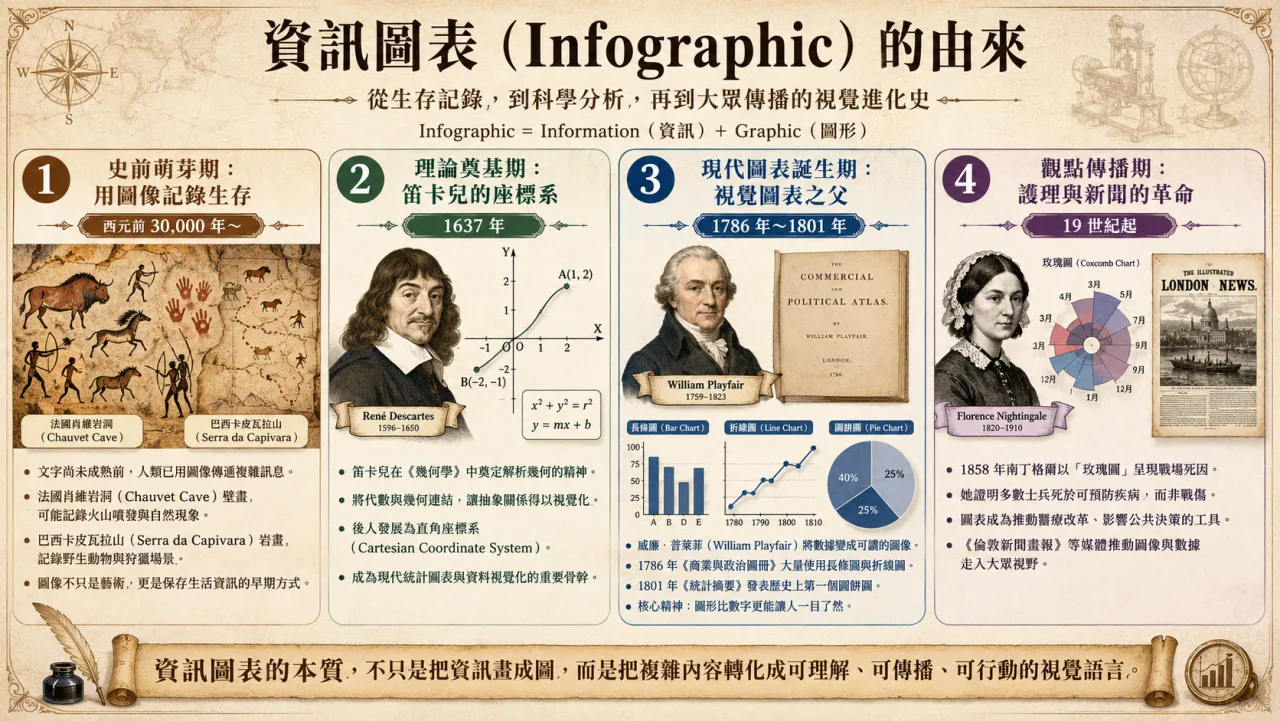 *▲ Four stages of evolution of information graphics: from the survival records of prehistoric rock paintings, to Descartes’ coordinate system, Pleifer’s statistical charts, to Nightingale and newspapers and media turning charts into tools for public discussion. *
1. Prehistoric budding period: recording survival with images (from about 30,000 BC)
Before written language matured, human ancestors already instinctively used visual images to convey complex messages.
The Chauvet Cave murals in France date from about 30,000 to 32,000 years ago. Recent research has found that some of the spray-painted patterns may have recorded nearby volcanic eruptions; the rock paintings of Brazil’s Serra da Capivara left a large number of images of wild animals and hunting scenes. These pictures are not only artistic creations, but also the earliest attempts by humans to transcend language limitations and preserve life information.
I particularly like the reminder this stage gave me: the starting point of drawing is survival needs, not aesthetic needs.
2. Theoretical foundation period: Descartes’ coordinate system (1637)
The key breakthrough in accurately locating abstract information came from the French philosopher and mathematician René Descartes.
In his “Methodology” published in 1637, he attached a paper called “La Géométrie” (Geometry), which connected algebra and geometry and established the spirit of analytic geometry. Strictly speaking, the X-axis and Y-axis drawing methods we are familiar with today were gradually improved by later generations based on his work, but the source of this breakthrough does lie with him. The impact of this incident is very far-reaching: for the first time, abstract mathematical relationships such as geometry and algebra can be visually presented using horizontal and vertical grid points. The backbone of all statistical charts today comes from this step.
3. The birth period of modern charts: the father of visual charts (1786-1801)
The key figure who truly transformed data into stories and practiced modern data visualization was Scottish political economist William. William Playfair.
In order to explain blunt economic and demographic data to the British public and government, he made extensive use of line charts and bar charts in The Commercial and Political Atlas published in 1786. In his 1801 Statistical Breviary, he even published the first pie chart in history. The various charts that we can easily generate in the presentation software today were all created by this person.
He made a point: graphics are more understandable than numbers. This is the core spirit of modern information graphics that simplify complexity.
Please pay attention to his motivation: he is not trying to make the report look good, he is trying to make people who can’t understand numbers want to read it.
4. The period of dissemination of ideas: the revolution of nursing and journalism (since the 19th century)
Starting in the 19th century, people discovered that infographics could not only record data, but also change the world and even save lives.
In 1858, nursing pioneer Florence Nightingale wanted to prove one thing to Queen Victoria and Parliament: Most of the deaths of soldiers in the Crimean War were from poor medical and sanitary conditions, not battle injuries. She designed the famous polar pie chart, later known as the Rose Chart (Coxcomb Chart). Traditional pie charts use angles to express proportions, while rose charts use equal sector angles and use radius lengths to map numerical values. So on that picture, the blue-gray area representing deaths from preventable infectious diseases greatly overshadowed the red area representing deaths in battle, and the winner could be determined at a glance. Later, that picture successfully promoted medical reform in the British army.
Newspapers and magazines such as The Illustrated London News, founded in 1842, also began to extensively use illustrations and data to explain weather, war dynamics, and technological inventions to the public. After entering the 20th century, information graphics officially entered the public eye.
Every time I talk about Nightingale, I feel particularly shocked. The data she had was actually available to others; what was truly rare was that she decided to use that picture to make a clear claim, and she staked her professional reputation on it. The rose diagram is not a decoration for the report; it is the argument itself.
So, what is the core difference between the two?
After combing through 30,000 years of evolution, and looking back at the pictures on the Internet today, the differences become very clear.
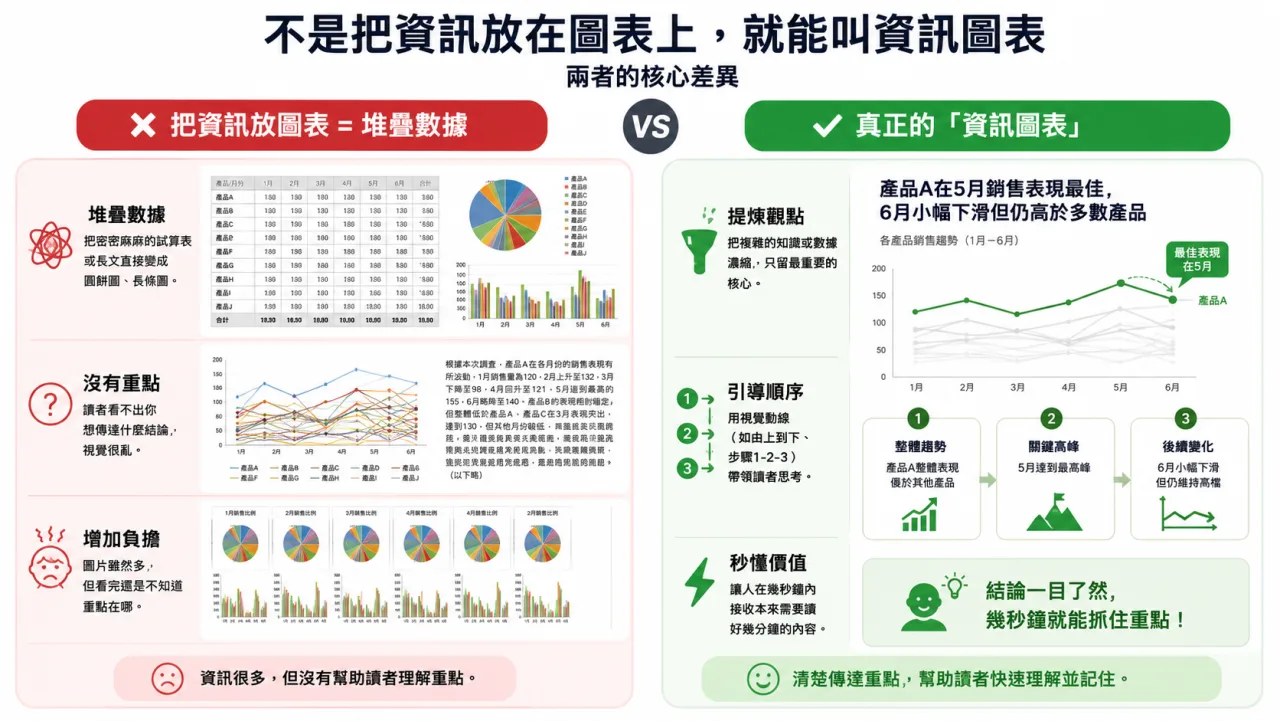 *▲ The left side puts information on the chart, and the right side is the real information chart. The difference is not in aesthetics, but in whether the readers make judgments for them. *
Simply putting the information on the chart usually looks like this:
First, stack the data. Turn dense spreadsheets or long texts directly into pie charts and bar charts, and as much information as you put in will come out in the chart.
Second, there is no focus. The reader can’t see what conclusion you want to convey. The visuals are messy, and every element is competing for attention. In the end, no one gets it.
Third, increase the burden. Although there are many pictures, readers still don’t know what the key point is after reading it, and they are even more tired than reading the original text.
Real infographics do three completely different things:
First, refine your point of view. Condensate complex knowledge or data to only the most important core. The essence of this step is to make trade-offs, and trade-offs mean that you must first think about your position.
Second, the boot sequence. Use visual moving lines to lead readers to think, which may be from top to bottom, steps one, two, and three, or comparison between left and right. Wherever the reader’s eyes go, what they see first, and what they see last are all designed.
Third, understand the value in seconds. Allowing people to receive content that would have taken several minutes to read in just a few seconds.
Did you find out? None of these three things have anything to do with beauty. Beauty is a necessary condition, but never a sufficient condition.
Three check questions for content workers
Having talked about so much history and principles, I want to give you a set of more practical things.
After you finish a picture, don’t rush to publish it. Ask yourself these three questions. This is a habit I developed at the editing desk and I still use it today.
Question 1: What is the sentence in this picture?
In one sentence, please tell the conclusion of this picture that you want readers to remember.
Note that you are not telling the theme of this picture, but the conclusion. Sales trend analysis is the main theme, with Product A having the best performance in May, a slight decline in June but still higher than most products, and this is the conclusion.
If you can’t say that sentence, it means you haven’t thought it through yet, and of course the reader can’t tell. Don’t rush to adjust the color matching at this time, go back and think about that sentence.
A more ruthless approach is to write that sentence directly at the top of the picture as a title. That’s what Nightingale did, and so did Playfield. They never leave the reader guessing.
Question 2: Where will the reader’s eyes stop first?
Take your picture, take three steps back, or reduce it to the size of your phone, then take a look at it and close your eyes.
What was the first thing you just saw? Is that thing what you want him to see the most?
If the first thing that grabs attention is a decorative illustration, an oversaturated background, or an insignificant legend, then your visual hierarchy is broken. The moving lines of information charts do not occur naturally, but are deliberately made through contrast: contrast in size, contrast in color, and contrast in white space. Only one element should be the brightest, and the others should fall back.
Question 3: If half of it is deleted, will this picture die?
This is my favorite question and also the most painful one.
Try removing half of the elements on the diagram. Delete the secondary data you can’t bear to part with, the icons you added to fill in the blanks, and the little annotations that no one will actually read.
After deleting, if the conclusion is still there and the picture becomes even clearer, it means that what you just deleted should not exist in the first place.
I know it’s hard. We spent a lot of effort collecting information, and it is human nature to be reluctant to part with it. But the value of an infographic never depends on how much you put in it, but on how much the reader takes away.
 (opens in a new tab)
*▲ Do you like this kind of content and the practical thinking of AI? Welcome to subscribe to Vista AI Inspiration Supply Station (opens in a new tab). I will continue to interpret the latest tool usage and trends and send them to you as soon as possible. *
(opens in a new tab)
*▲ Do you like this kind of content and the practical thinking of AI? Welcome to subscribe to Vista AI Inspiration Supply Station (opens in a new tab). I will continue to interpret the latest tool usage and trends and send them to you as soon as possible. *
AI makes drawing easier, but it doesn’t make thinking easier
I guess some people will say: Vista, there is AI now. I throw data to it, and it will generate a picture in a few seconds, which is quite beautiful.
Yes, that’s exactly why I said it was a good thing in the first place. In the past, to make a decent information chart, you had to be familiar with the operation of various design software, or you had to have an art editor by your side. When I was at the magazine, a cross-page infographic often required several days of back-and-forth revision. Well, now that threshold has almost disappeared.
But precisely because the threshold has disappeared, it is easier for us to see the beautiful waste pictures that are full of pits and valleys.
Because what AI helps you solve is execution, not judgment. If you give it a bunch of data, it will obediently draw the data; if you don’t tell it what the key points are, it won’t decide what the key points are for you. In other words, the link that was blocked by tools in the past is liberated, and the remaining really difficult link becomes more visible: what do you want to say. So the order in which I use AI to make pictures is the opposite of what many people do.
I won’t throw out the information first, I’ll write the conclusion first. Then I tell the AI who this picture should be shown to, the context in which the other person will look at it, and what decision I want him to make after reading it. Then I will give the information and clearly specify the visual movement line: what to put on top, where to look next, and which number should be the largest.
This sequence is actually what we did on the editing desk more than ten years ago, but with a different execution partner. The tools have been changed, but the position of thinking has not.
Back to the simplest sentence
At this point, I want to condense the entire article into one sentence.
The essence of information graphics is not just to draw information into pictures, but to transform complex content into understandable, disseminable, and actionable visual language.
From the lines that recorded volcanoes and prey in caves 30,000 years ago, to Descartes’ coordinate system, Pleffi’s bar chart, and Nightingale’s rose diagram, this clue has never changed all the way down: someone saw something important and wanted others to see it too, so he drew a picture.
If you also want to say something with an infographic, then ask yourself first: What do you see? What do you want the other person to see?
If you think about these two things clearly, your picture will naturally have focus. The rest of the aesthetics, color matching and layout are just to serve that key point.
Next step
Bring this topic to your team
Vista Cheng speaks and runs workshops on AI workflows, writing and content systems for companies, schools and public agencies.